open tidyroom

Free up gigabytes on your iPhone.
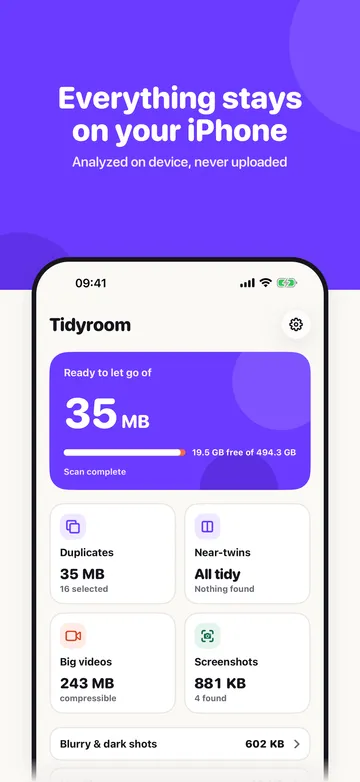
Tidyroom finds the duplicates, near-twins, screenshots, blurry shots, big videos and Live Photos you can let go of, and picks the best shot for you. Everything runs on your iPhone. No account, no upload.

Free to use. A few ads keep it that way.
iOS 18 or later.
tidyroom scan --library
What it finds
- Duplicates
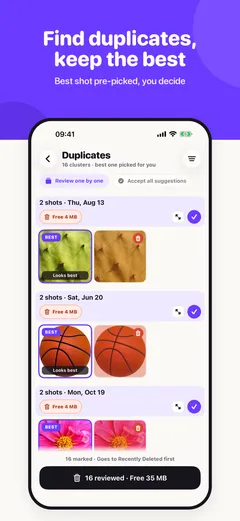
Exact copies and re-saved versions. The best one is marked, the rest is pre-selected.
- Near-twins
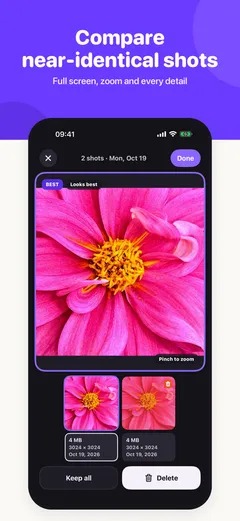
Bursts, retakes and the five almost-identical shots of the same sunset. Keep one, let the others go.
- Screenshots
Old screenshots you forgot about. Pick by age, delete in one go.
- Blurry and dark shots
Out-of-focus and underexposed photos, with a face check so portraits with a blurry background stay.
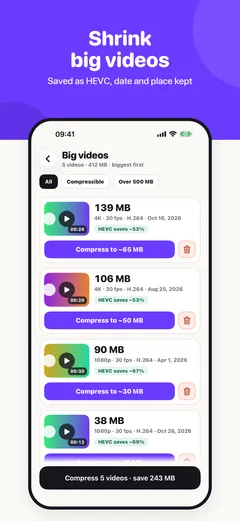
- Big videos
Compresses large videos to HEVC. Same video, a fraction of the space.
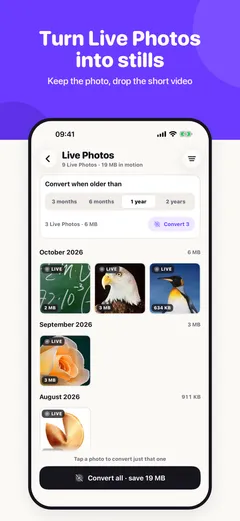
- Live Photos
Turns Live Photos into stills. The video part is often most of the file.
- Duplicate contacts
Merges duplicate contacts, with a restore button if you change your mind.
ls ./screenshots
Have a look
cat safety.md
Nothing leaves your iPhone
- On-device
Scanning, comparing and compressing happen on your phone. Your photos are never uploaded.
- You decide
Tidyroom pre-selects, you confirm. Every deletion goes through the iOS sheet and lands in "Recently Deleted" for 30 days.
- No account
Nothing to sign up for. Usage statistics are off unless you switch them on.
play tidyroom-ad.mp4
25 seconds
cat pricing.yml
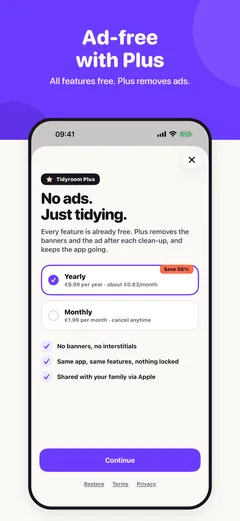
Free. Plus removes the ads.
Every feature is free. A small banner and an occasional ad after a clean-up keep it that way. Tidyroom Plus switches the ads off for 1,99 € a month or 9,99 € a year, and nothing else is locked behind it.
cat faq.md
Questions
- Does Tidyroom upload my photos?
- No. Analysis runs on the iPhone with Apple's on-device frameworks. The app has no server for your photos.
- What if it picks the wrong one?
- Open the cluster, compare, change the choice. Deleted photos stay in "Recently Deleted" in the Photos app for 30 days.
- Why is it free?
- Because a photo cleaner should not cost several euros a week. Ads cover the costs; Plus is there for people who prefer paying once a year.
- Which iPhones?
- Any iPhone with iOS 18 or later.